There’s (1) the person who lives for politics; the person who sees the office as an instrument to do the kind of important, institutional work that they would still do tomorrow even if the job title disappeared. Then there’s (2) the person who lives off politics; who wants the office for the sake of having the title, the salary, and whatever may come next after that office disappears.
…Why should we care what politicians do in their free time? About what they read, or who they surround themselves with? Because these things tell us something fundamental about whether they are living for politics or off it.
— Read on www.butthistime.com/p/gaslighter-denier
Basement Whatever
Escape the algorithm
aging ai algorithm aliens Art builder capitalism Chicago cities community corporation dnd enshittification future games governance happiness history hollywood humanity information Internet learning magic management media movie music organization perspective predictions privacy project reading reality social social media sports technology travel ttrpg USA wealth work writing
about
-
-
Oxbridge tutors believed overwhelmingly that the purpose of an undergraduate degree was neither training for work nor even preparation for academic research, but rather a general moral and intellectual formation that would fit students for any professional role they might later pursue. ‘No man will be a first-rate physician or engineer who is not something more than either, who has not some taste for art, some feeling for literature, or some other interest external to his profession’, said Benjamin Jowett, the influential master of Balliol College. Jowett aimed to convey this ‘something more’ to his undergraduates, leaving them to acquire specific technical knowledge later.
— Read on worksinprogress.co/issue/the-seven-vices-of-highly-effective-victorians/ -

In my early twenties I worked in a Milwaukee call center, processing credit card complaints. Customers complained to an India team first. If that team couldn’t resolve the problem, they escalated it to the Milwaukee center, where we resolved it.
All the Milwaukee reps sat in a large open room of cubicles, logging in promptly to start our shifts, where I put on my headset and logged into dashboard software giving me information about the incoming caller. The managers sat at the edge of the room, in taller cubicles, where they listened to our calls to monitor the quality of our customer service and ensure we were hitting our timelines for resolving issues.
It felt like a dead-end job, and I’m supposed to say I hated it. But the truth is, I really enjoyed the work. All day long I fielded calls from people all over the United States, and since pretty much everyone has a credit card, I talked to people from all walks of life, living in places I’d never visited, and listened to their stories while resolving their issues.
(more…) -
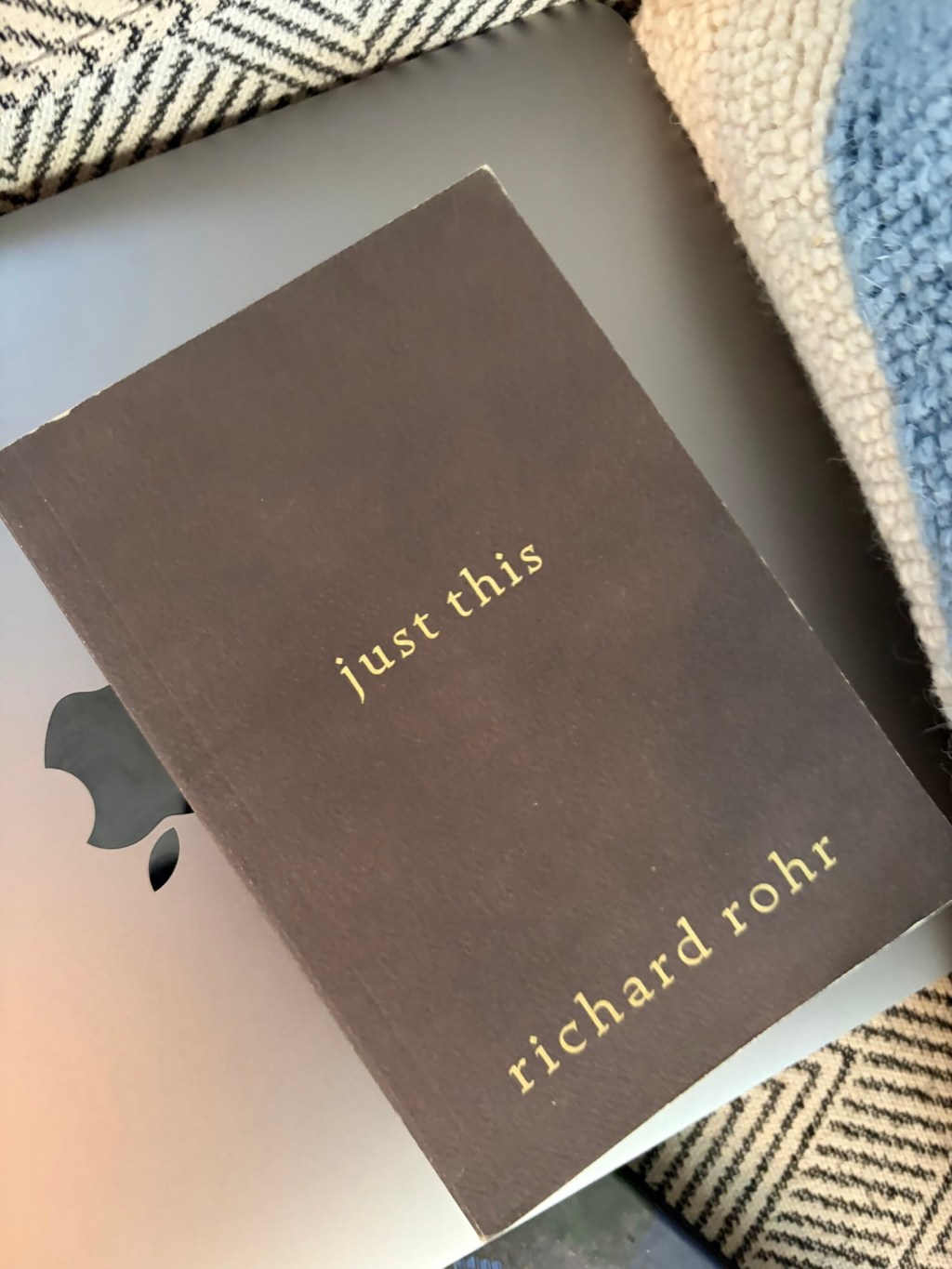
My uncle keeps asking me to listen to the Catholic priest Richard Rohr. I don’t know much about Rohr, except he’s an intellectual, in the tradition of thinkers like Thomas Merton or Eckhart Tolle.
(I’ve been blessed that in my family and my extended family we’ve always been surrounded by books and quality thinkers, and encouraged to read the original source texts of religions and philosophers and be curious, and talk openly about them. I say this because it’s normal to me. But I’ve heard some people’s religious upbringing and it was awful. So if you’ve run into that, this might not land.)
At any rate, I did listen to the YouTube clip below, and I set aside one of Rohr’s books to read later. One quote from the YouTube clip stood out, even though I didn’t understand it at first. I’ve been working through it, and now I think I get it. Rohr says:
“Nothing dies, everything is transformed…but we pulled Jesus out of the Trinity and tried to understand Him as a standalone figure…it was meant to be a universal cosmic statement of how reality works….Jesus is meant to be the universal archetype, the cosmic stand in, of everything”
Here’s what I think that means, even though I admit I don’t fully understand it. Christians believe that God loves humanity. This is not necessarily what other cultures believe. Some cultures believe life is suffering, some believe the purpose of life is to gain glory, others believe that we are all one.
Christians justify their belief that God loves us by saying that God became a regular human, and felt pain. According to that belief, this is love, because it shows that God gets involved in human affairs. And of course, they believe that God was killed for humans who didn’t deserve it, and that this is love.
If I understand Rohr correctly, he’s saying that Jesus is therefore the symbol of love. I think he’s saying don’t get too fixated on understanding Jesus because that’s missing the point. The point is what that story tells us about the belief that God loves us.
And then this, which jumped out at me, because it drives the reason home:
“When all of history isn’t hopeful, when society isn’t hopeful..it’s really hard to heal as individuals…Christianity was meant to be a cosmic hope for history”
The writer Grant Morrison (a chaos magician, of all things) first introduced me to this idea – that symbols of hope move us forward. Morrison takes it a step further, arguing that this makes the writer’s task sacred. To write hopeful things is to write a hopeful future. And if I understand Rohr correctly, Christianity is hope, because it means we’re loved, and being loved means there’s always hope that we’ll figure this out.
-
The original game cover looks exactly like what a Star Wars movie poster should look. When I was in seventh grade, Star Wars and Dungeons & Dragons occupied roughly the same amount of space in my brain. My friend, Jennifer, and I spent much of that year doing homework with the original Star Wars trilogy
The Digital Tabletop: Why KOTOR Became My Favorite D&D Game -
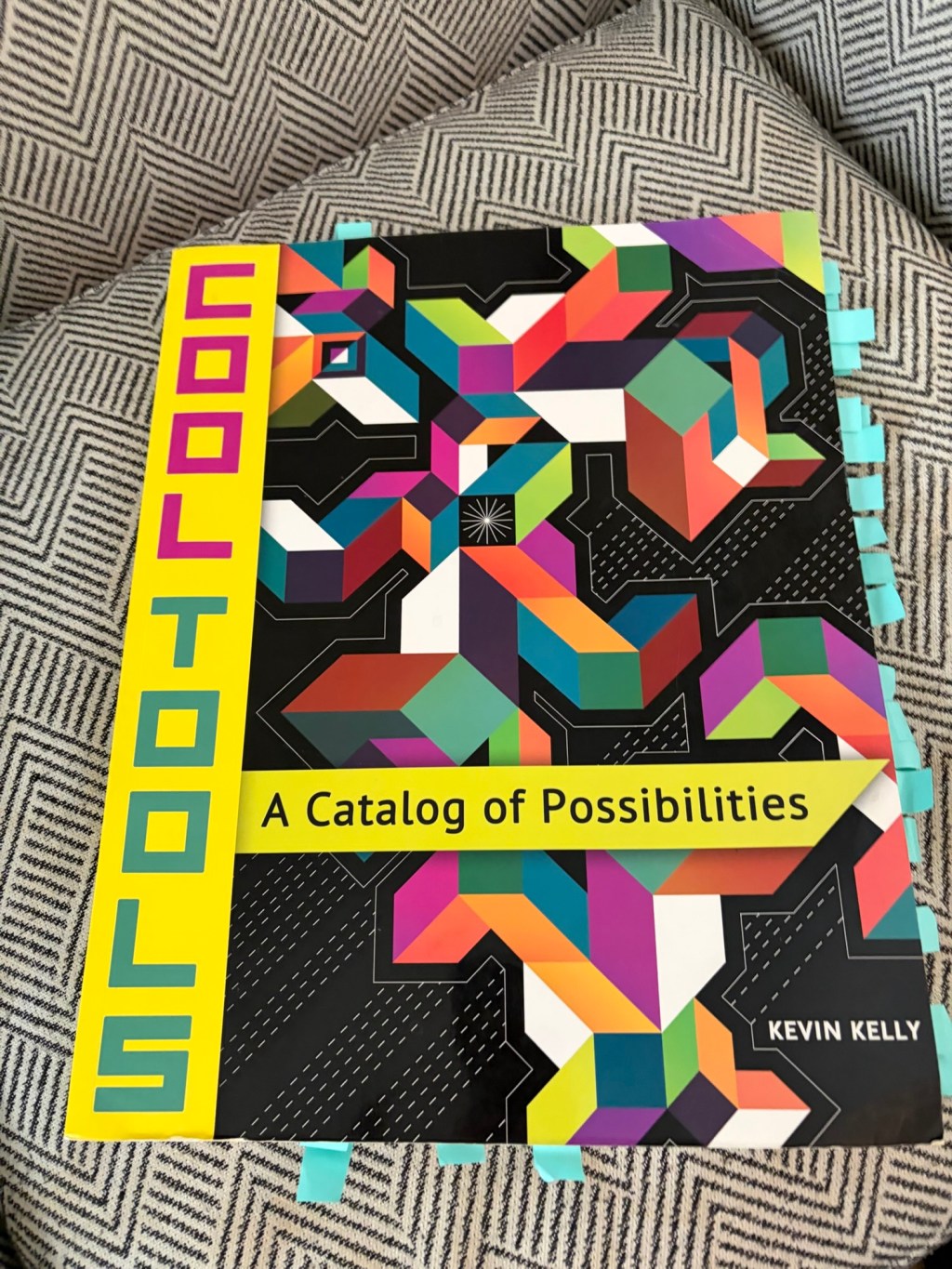
I purchased Cool Tools: A Catalog of Possibilities after hearing its author, Kevin Kelly, talk about it in a podcast. Kelly is a really interesting guy (he co-founded Wired and wrote the semi-religious book What Technology Wants), so I thought it would be worth the investment. You can see in the picture just how many tabs I put in. More on that later.
What the book is: One of Kelly’s core ideas in his book What Technology Wants is that we should decide whether technology is useful before using it. For instance, hammers are useful technology, whereas social media’s value is less clear. This book shares the best tools he’s found over the years. That’s a broad category, so this catalog contains tools ranging from Materials Libraries to books on the Eastern canon to kitchen supplies.
What It’s Not: it’s not shaped well. This is the weirdest format of any book I’ve read. It doesn’t fit well on a shelf or a coffee table. It’s basically a small newspaper.
What it is, on closer examination: This book is like reading a Sears catalog – if every item was best-in-class and useful. Reading this is fun.
I’ve been browsing this catalog in my office for three days now, placing tabs all over the place. I just bought a new nose hair trimmer based on one entry. I’ve bookmarked a ton of entries ranging from safety knee boots, to Aladdin lamps, to the best guide for hiring smart.
This book combines two eras: The joy and wonder of flipping through a Sears catalog at Christmas plus the early days of the Internet, when everything was useful and people were wildly optimistic.
-
In 1862, a man named Luther Kountze left Omaha with a massive, fireproof safe. Twelve oxen pulled that safe across the open plains until reaching Denver, which was a frontier town only four years old, merged from three mining camps. The town mainly served prospectors, with saloons and gambling halls. Within a year of Kountze’s arrival the small, 5000-person frontier town flooded and caught fire.
Undeterred, Kountze built a bank around his massive safe, trading prospectors cash in exchange for gold. This established Denver’s “Wall Street,” driving the town’s growth and making Kountze a rich man. Eventually he moved to New York City.
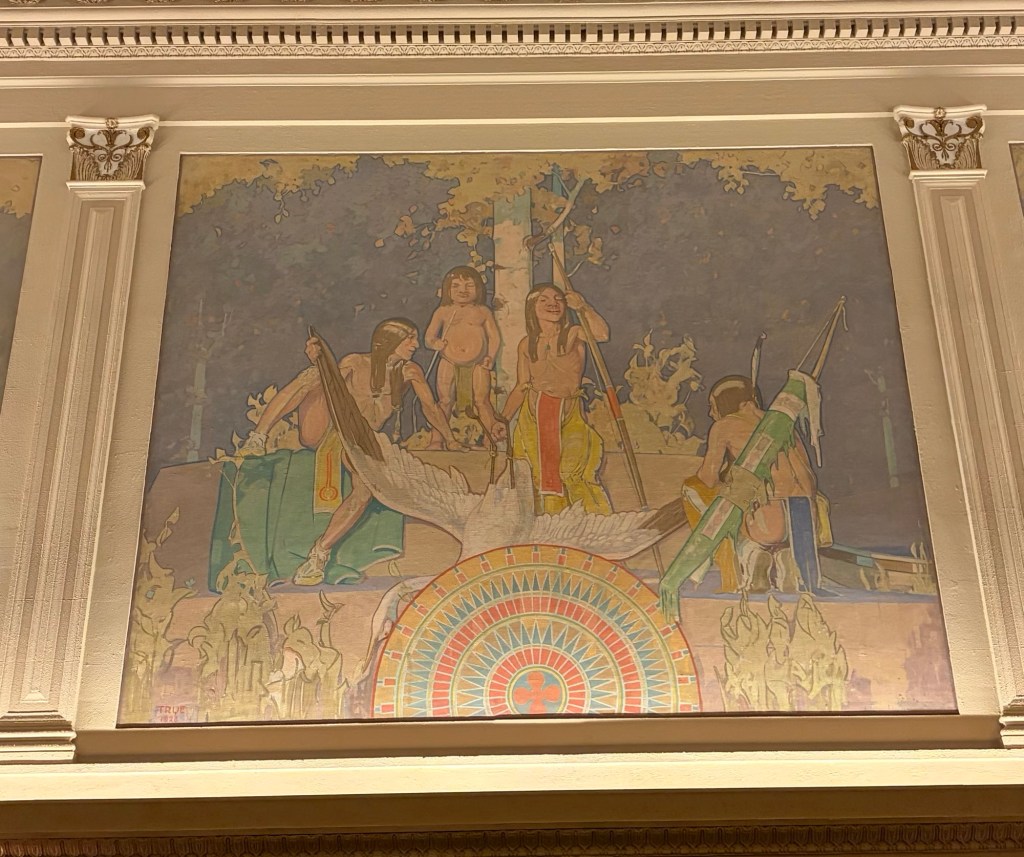
Today the bank is a Marriott Renaissance Hotel. The new owners transformed Kountze’s original safe into a conference room, placing gold murals around the building to showcase the bank’s history. But there’s another interesting tidbit about the hotel: 16 murals decorate the walls, depicting Native Americans in their everyday lives.
The artist Allen Tupper True painted the murals for Kountze’s bank, focusing exclusively on Native American life. The paintings don’t show European settlers, images of first contact, or conflict. They show Native Americans living in the woods, playing together, and engaging in ceremonies.
I’ve stayed at this hotel twice, both times eating a snack in the second floor lounge with a view of the art and the lobby. I like sitting there and spending time gazing around the walls. The art is so beautiful that I bought a book with pictures (Allen Tupper True: An American Artist). Unfortunately the book doesn’t show the art well, so I can’t recommend it.
This hotel wears its history proudly and with taste. But the truth is, wherever we go, we’re surrounded by forgotten history that isn’t always clear. If we choose to look, the ordinary world explodes with life and memories of those who went before. I recommend doing this, often – especially if you find yourself caught in a pattern. The world is as interesting as we make it, so why not pause a little and notice the deeper patterns around us?
-

This morning I dragged my suitcase through Times Square, on the way to a morning meeting. People were setting up tables, and it was largely empty except for the early morning commuters like me, streaming by on the sidewalks. I’ve spent a lot of time in Times Square over the last thirty years. I know how it’s changed, and also remember how it looked the first time I visited it.
It occurred to me that this particular point – right now – is the time I’ve been given to be alive. New York in 2026 is not the same as New York in the 90s or New York in the 50s or New York in the 1800s.
All of us, meaning anyone reading this, all of our enemies and friends and people we haven’t met, we all share this point in time. We are travelers together in this particular configuration of earth, and this moment has its own customs, its own levels of success, its own versions of what it means to be good and its own celebrities.
That’s what I was thinking as I walked through Times Square, dragging my luggage, watching them set up tables early in the morning like I’ve done many, many times before.
-
Eventually her daughter contacted me and it turned out that she couldn’t read and needed me to do everything for her so she could keep doing her psychic calls. She was apparently close to eviction. I knew she was a bit of a scammer but it really messed me up and was really hard for me to navigate morally and ethically. It’s gotta be hard to find work if you can’t even read and psychic phone counselling, while skeevy, certainly isn’t the worst way to make money in such a situation
— Read on www.rockpapershotgun.com/the-influences-and-surprising-origins-of-hypnospace-outlaw -
Just went for a long walk while using ChatGPT Voice with plugins on my phone, and I think it’s a more consequential update than it might seem at first glance.
On my walk, I talked through my calendar, email, and to-do list. I had ChatGPT read through my emails and triage them. Then, we added items to my to-do list. Then, we reviewed my calendar. By the end of the walk, I’d finished getting organized, and never had to look at a screen once.
— Read on x.com/_simonsmith/status/2102836288541913351 -

Skill trees are essential to role playing games, allowing you to spend experience points to level up your character however you want. The Maker Skill Tree Project extends this concept to real life. Download skill trees on topics ranging from Adventure to Fishing, as each skill tree guides you through increasing levels of skills to build competency in a topic. Get the skill trees here.
-
I’ve seen House countless times, and nearly every time I get something new out of it. My experience has gone from “bizarre and WTF did I just watch” to “a very goofy, charming horror comedy” to “a goofy haunted house movie that’s also an emotional fairy tale about the effects of WWII on everyone young and old.” Its initial reputation, and permanent history on the back of the Criterion cover is honestly a tragedy. Sure, for a first time viewing its mishmash of descriptions preps you well, but for subsequent viewings, its legacy being “an episode of Scooby Doo directed by Mario Bava” almost feels like a joke. House is still goofy, visually bizarre and has a lot of moments that are genuinely funny and charming, but the emotional core of the movie is the Aunt, and its post-WWII generational trauma is unavoidable when watching the movie.
— Read on www.perisphere.org/2025/10/19/a-hit-before-it-was-made-and-a-fairy-tale-ahead-of-its-time-how-nobuhiko-obayashi-made-house/ -
Heilung call their genre “amplified history”, and no two words describe it better: throat singing, bone rattles, war chants and human pulse, performed in ceremonial paint by a collective that opens every show with the same ritual blessing. Where Wardruna reconstructs, Heilung possesses: their concerts are less performances than séances with a light rig.
The vibe: primal, shamanic, hypnotic. For fans of: losing track of the century you live in.
— Read on www.mythic-harmonies.com/viking-culture/viking-metal-bands-list/ -

I was waiting in line at the airport and the guy in front of me was taking so long to figure out something on his phone with security that several people in other lines passed us by. Whatever challenges he was having with his boarding pass, it never resolved before I jumped into another line after he’d been trying to figure it out for five minutes.
Meanwhile, when it was my turn, I had my id ready and the whole process took about 15 seconds. Same for the person ahead of me.
I used to assume this one person doesn’t know what they’re doing and because of that, they’re holding up everything. I don’t think that way anymore. Now I just think it’s the law of large numbers.
After all, most people are moving fast. Which means that most people move fast all the time. I always move fast, except, wait — have there been times when something went wrong, and I caused a delay? Yes, but they were very rare.
So now I assume that this guy is probably very fast on average, but once in a blue moon, something goes wrong, and he holds up the line. Just like the rest of us, And airlines, who are processing thousands of people a day, are always going to have a person who is having a day when things are going wrong.
When I look at it as the law of large numbers, I get less annoyed. And I see that most of the time, the statistics show that things are operating well, and I appreciate that.
-
Liberalism is an answer to the Wars of Religion. How do we stop people killing each other over their version of the good life? Liberalism answers by building a neutral framework that allows people to pursue their individual versions of the good life.
The key components of that framework are: Individual rights. Each citizen is born with a package of rights at the individual level. People don’t get separate rights based on their beliefs or their political party. Markets. Free markets allow people to purchase what they need to pursue their vision of the good life. The government does not decide this for them. Neutrality. The government doesn’t decide the good life for people. It merely provides the framework.
My understanding: This system is the best one we’ve discovered to allow people with different beliefs to get along with each other. It raises the standard of living, and increases technology development.
The downsides: The liberal framework produces inevitable downsides. Inequality. A framework of markets and individual rights produces inequality, because it rewards certain behaviors. For instance, it rewards mobility – the ability to move where the work is. Over time, this rewards some more than others. Lack of meaning, The goal of liberalism is to allow people to pursue their vision of the good life, and it’s neutral on what that is. This means the liberal framework offers no answers on the afterlife or the purpose of life, and resists any one answer from dominating. Therefore it leaves people alienated unless they find their own meaning. Antiseptic culture. Strong cultures impede liberalism and get in the way of markets and multiple versions of the good life. Liberalism therefore reduces culture to sameness and produces conformity.
-
The idea is simple and intuitive: The more power a man acquires, the more his empire expands, the more he depends on other people for information about everything from his own court to the furthest reaches of the empire. And yet through fear or awe or self-preservation, those people often become less willing to tell him what they think he doesn’t want to hear, leaving him increasingly insulated from reality even as the consequences of his decisions become larger, and as the barriers to believing one’s own bullshit fall away.
— Read on colossus.com/article/mark-zuckerberg-profile/ -
many people who have a superficial understanding of topic assume that the topic is as complex as their understanding of the topic instead of realizing that only knowing a bit about a topic means that they’re missing an understanding of the full complexity of a topic.
— Read on danluu.com/cocktail-ideas/ -
“It’s the first-ever fully AI-generated entertainment to hit mainstream provincial satellite prime time,” writes Mandy Wong. After seeing Bytedance Seedance 2.0’s (AI text-to-video model) release earlier this year, the team behind Journey to the West felt there was an opportunity to make a long-form series and break through a market “saturated with uninspired short-form dramas.” In this week’s feature translation (link to Huxiu article), Shuhan Liu reports on the makings of this AI-generated TV series.
— Read on chinai.substack.com/p/chinai-374-chinas-first-ai-generated -

I get the sense that I feel far less affronted by AI slop than some (or possibly many) of you do. I don’t like AI slop, but I don’t feel as viscerally annoyed about it as many people do, and it struck me that one possible reason is: I just found very large parts of the intellectual world to be incredibly fake and bad before, too.
— Read on www.atvbt.com/i-just-found-it-all-really-fake-before-as-well/

